Get Your Photos and Videos Back.
What do you need?
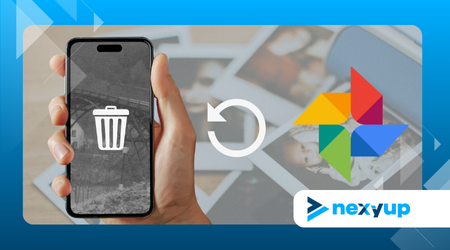
Recover Deleted Files from Your Phone
Losing family photos, videos, or work documents is stressful, but in 2026, data recovery is simpler than you think.
If you act quickly, there is hope.
What Happens When You Delete a File?
When you delete something, your phone doesn’t destroy it instantly; it just marks that space as “available.”
The file is still there, but it’s invisible.
The real risk is overwriting: if you take new photos or download apps, the new data will occupy that space and erase the old file forever.
Golden Rule: Stop using your phone and turn on Airplane Mode immediately to prevent automatic updates.
Top Recovery Tools
- DiskDigger (Android): The go-to for recovering photos and videos. It works fundamentally without root, though deep scanning requires superuser permissions.
- Tenorshare UltData (Android/iOS): Stands out for its intuitive interface. Recovers WhatsApp, contacts, and photos without complex technical processes.
- EaseUS MobiSaver: Versatile and compatible with both systems. It allows you to preview files before restoring them.
- Dr.Fone: The most robust option for difficult cases, such as broken screens or system errors after failed updates.
- Dumpster (Android): Functions like a recycle bin. Ideal for preventing future losses of images and audio.
Step-by-Step for Success
- Step 1: Choose the right tool based on your operating system.
- Step 2: Always download from official stores (Google Play or App Store) to avoid malware.
- Step 3: Grant the necessary storage access permissions.
- Step 4: Run a “Deep Scan” to search unallocated sectors.
- Step 5: Important! Save recovered files to the cloud (Drive/iCloud) or an SD card, never to the internal memory of the same phone to avoid damaging other lost data.
Common Mistakes to Avoid
- Continuing to use the phone: Browsing social media or receiving messages can overwrite your lost photos.
- Factory Resetting: This can permanently wipe the logs that recovery apps need.
- Installing shady software: Some APKs promise miracles but end up stealing information.
Quick Comparison Table
| App | System | Root? | File Types |
| DiskDigger | Android | Optional | Photos & Video |
| UltData | Both | No | WhatsApp, Photos, SMS |
| EaseUS | Both | No | Contacts & Multimedia |
| Dr.Fone | Both | No | Full Recovery |
Prevention: The Best Cure
Don’t wait for the next scare. In 2026, security is a priority:
- Enable Automatic Backup in Google Photos or iCloud.
- Use apps with an integrated Recycle Bin.
- Periodically check that your cloud syncs are active.
Conclusion
In 2026, mobile data architecture ensures that losing a file doesn’t mean it’s gone forever.
Current technology has evolved, making professional-grade recovery a simple task within everyone’s reach.
By acting with speed and choosing the right specialized tool, your precious memories and vital documents remain safe and retrievable.
Don’t wait for the data to be overwritten; take control of your digital life and start scanning your device now to restore what matters most!